How To Watch
Our Courses
Follow these 7 simple steps to unlock and start watching. Setup takes under 5 minutes.
Windows PC
Windows 7 / 10 / 11
WinRAR
For extracting .rar files
Our Video Player
Included in course folder
WhatsApp / Telegram
For receiving your password
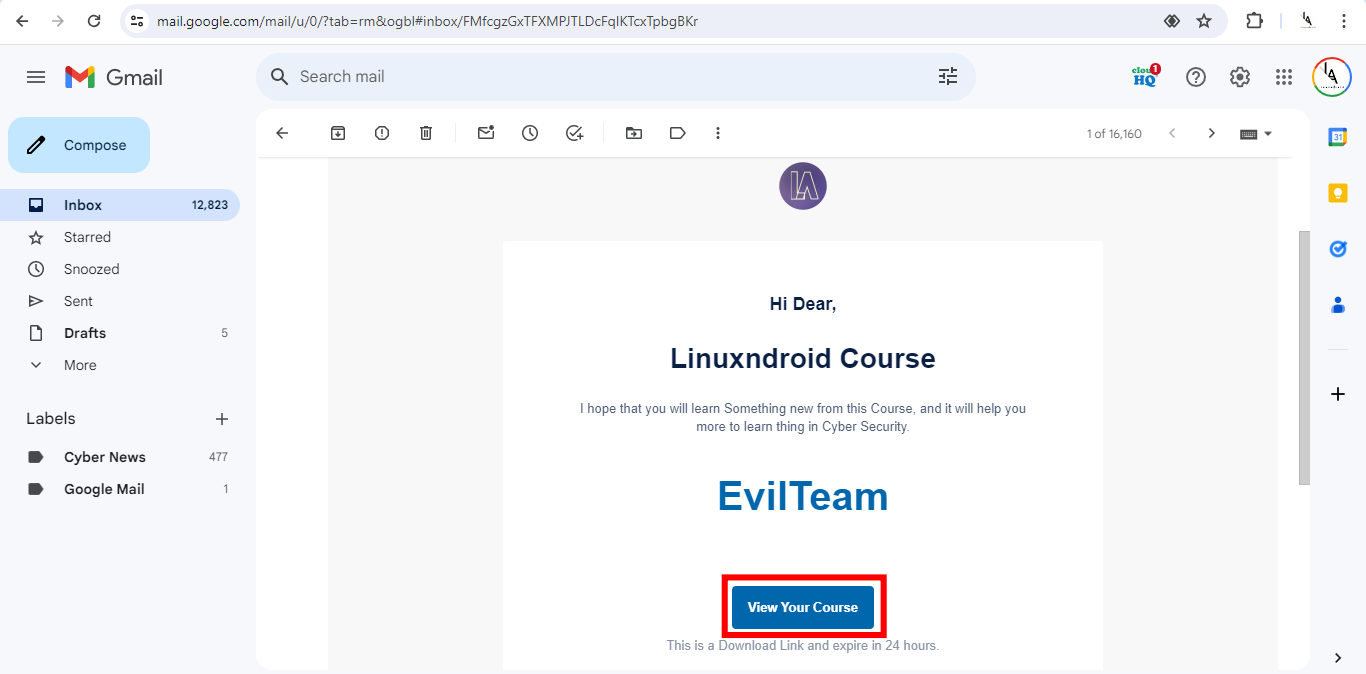
Get Your Download Link from Email
After purchase, we'll send a download link to your registered email within ~5 minutes. Click it to start downloading your course package.
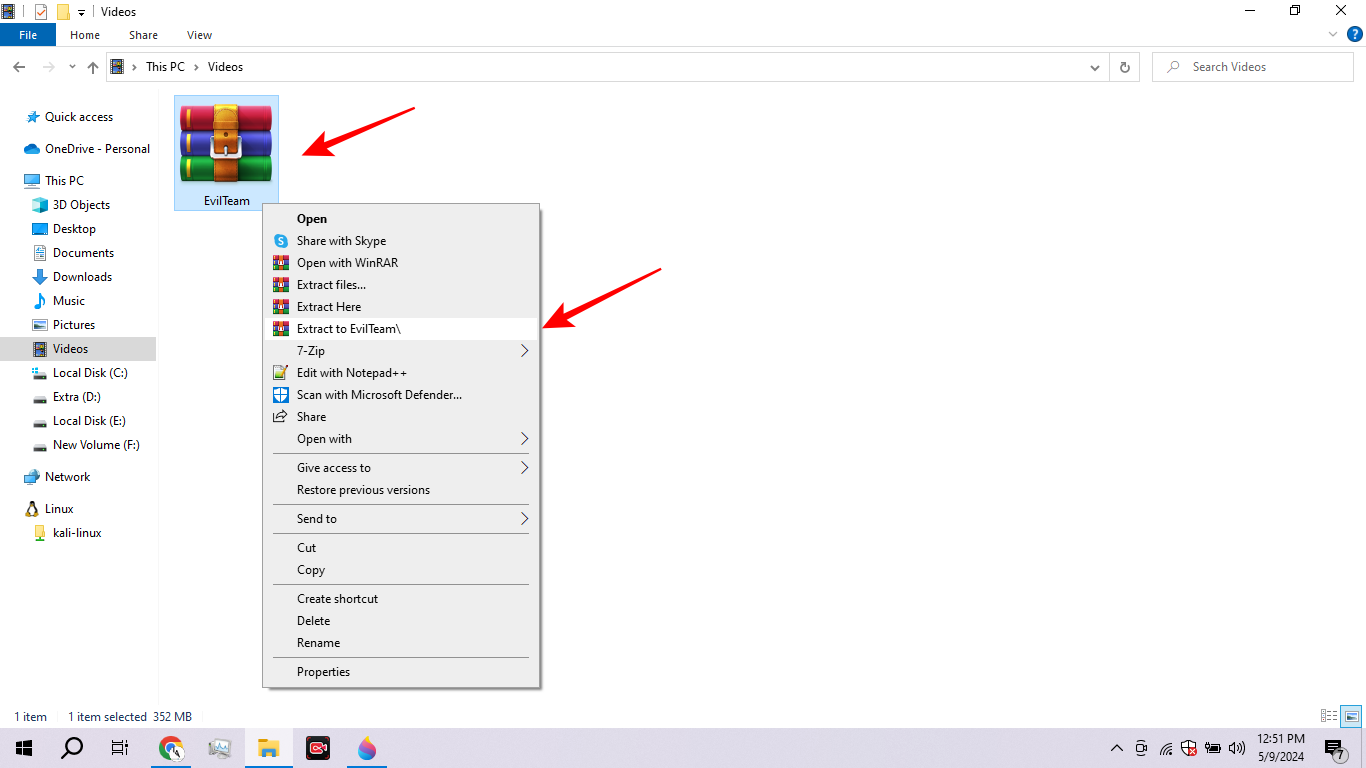
Extract the RAR File with WinRAR
The course is a .rar archive. Right-click the downloaded file and choose "Extract Here" using WinRAR.
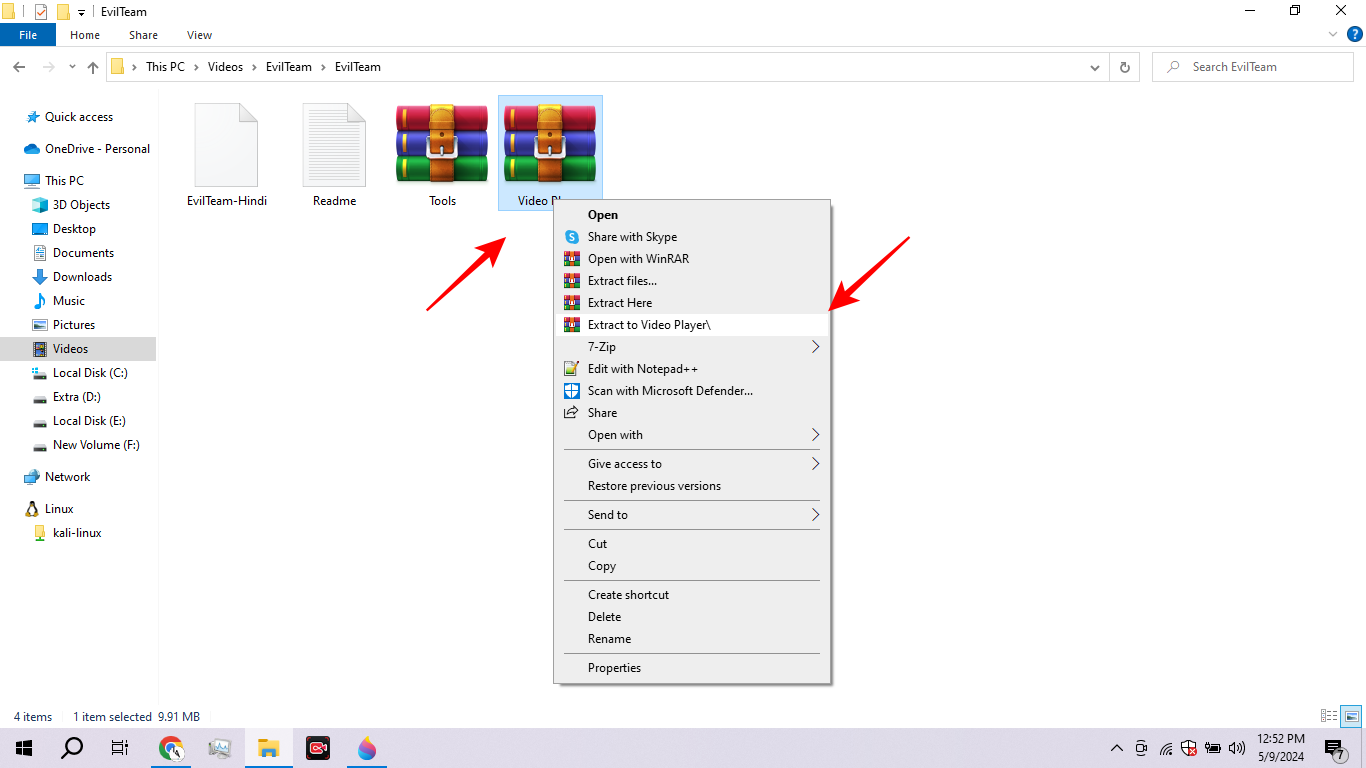
Explore the Course Folder
Inside you'll find 4 items: a .gem video file, Tools folder, Readme.txt, and Video Player. Read Readme.txt first!

Run the Video Player on Windows
Extract and run the Video Player from the course folder. Alternatively, Gillisoft Video Player works the same way.
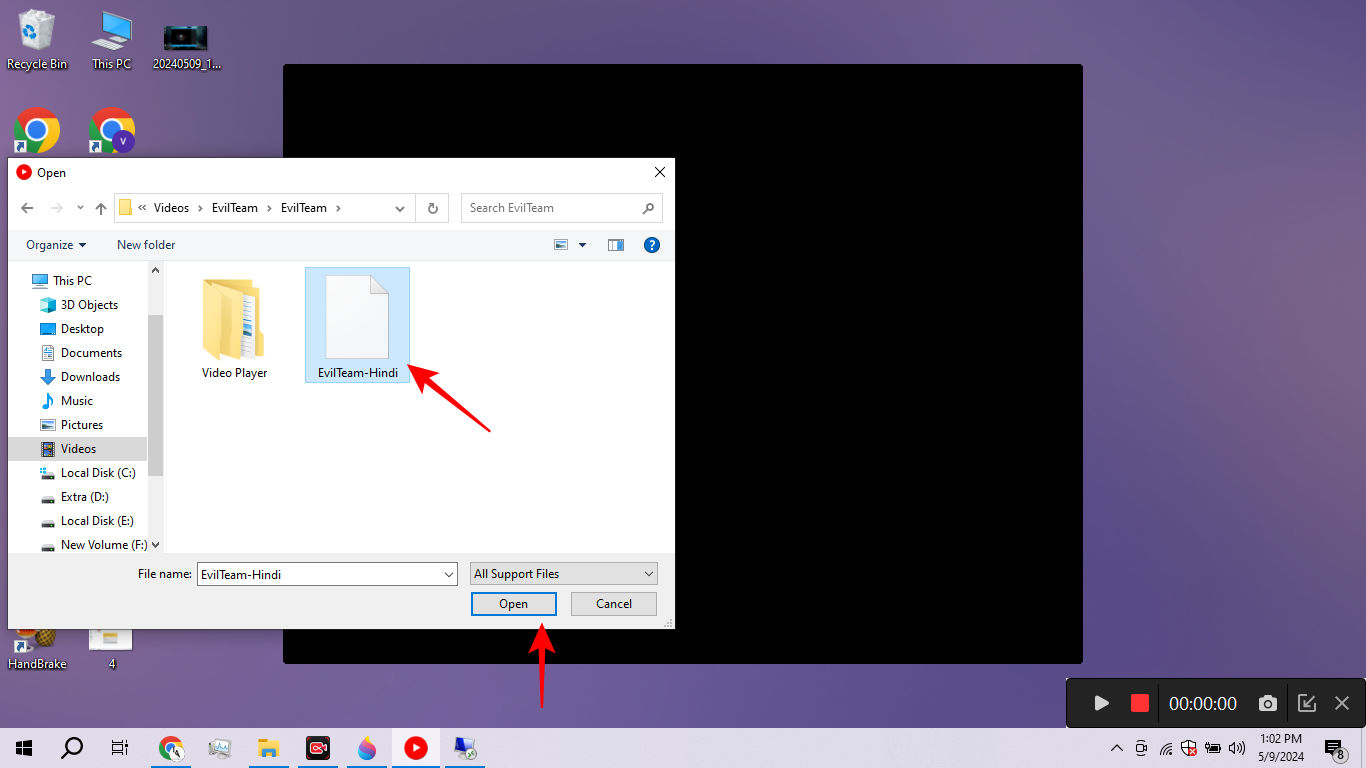
Select the .gem Course File
In the player, click Open File and select the .gem file from your course folder. This is your encrypted video package.

Copy Your Unique Machine Code
The player shows your unique Machine Code. Copy it and send it via WhatsApp or Telegram (contact in Readme.txt).
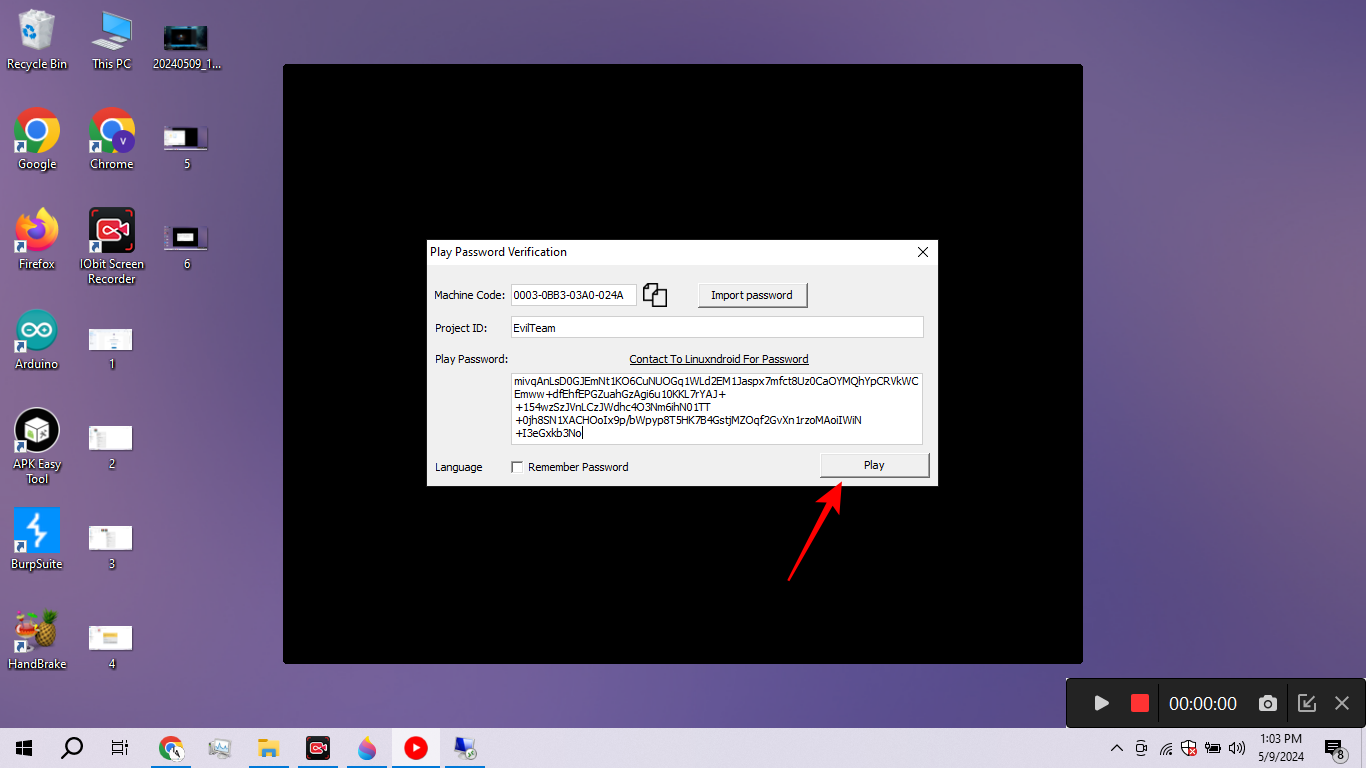
Paste Password & Start Learning 🎉
Within 2 minutes we'll send your unlock password. Paste it in the player's password field, click Play, and you're in!
Important: The Machine Code is tied to your Windows PC hardware. If you change PCs or reinstall Windows, contact us for a new password. Send your Machine Code from the same number you used to purchase.
Need Help? We're Here 24/7
Facing any issue or have doubts? Reach out anytime — no waiting, no queues.